Developer Log: Migrating to a Custom Astro Template with Agentic Coding
Every developer knows the creeping sensation of technical debt. My personal blog had been running on an older Astro portfolio template. While it looked okay on the surface, beneath the hood it was starting to feel its age: Bloated with unused components, outdated layout paradigms, and rigid design choices that made adding new features feel like pulling teeth.
I spent a few days testing out various alternative templates. The Astro ecosystem is incredible, but I kept running into the same problem: adopting someone else’s template means adopting someone else’s opinions. I wanted something hyper-minimal, brutally fast, and perfectly tailored to my aesthetic.
I decided to scrap the old template and build a brand new one from absolute scratch. But I didn’t do it alone.
The Agentic Approach
Instead of spending weeks fighting CSS Grid and reading changelogs, I leveraged an agentic coding assistant (shoutout to Antigravity) to help me pair-program the entire migration. Building a site from scratch with an AI agent isn’t just about code generation; it’s about establishing a strict, disciplined workflow.
To make the process flawless, I set up a robust “harness” for the agent:
1. Strict Git Workflows & Backlog-Driven Development
I configured an AGENTS.md ruleset that strictly forbade the AI from making rogue auto-commits. Every single feature had to follow a professional Git workflow:
- Branch off
masterinto a dedicatedfeature/<name>branch. - Execute the code, build it, and test it.
- Request explicit human approval before committing.
- Merge back into
masterusing--no-ffto preserve a beautiful, readable Git history graph.
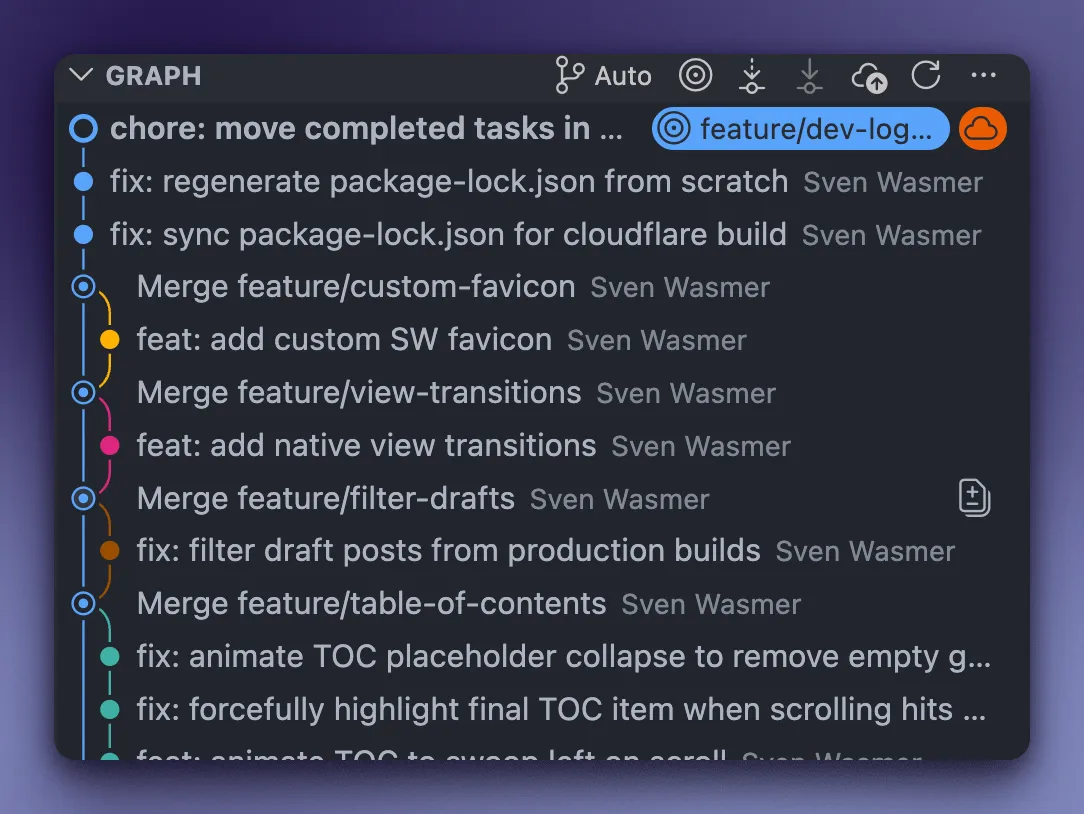
Instead of throwing random prompts at the agent, I created a BACKLOG.md file. This acted as the central nervous system of the project. Whenever I had an idea - like adding a “swooping” Table of Contents or a custom SVG favicon - I simply asked the agent to append it to the backlog. We then systematically tackled the list, one feature at a time.
2. Leveraging the Astro MCP (Model Context Protocol)
One of the biggest risks with AI coding assistants is hallucination, especially with fast-moving frameworks like Astro.
To counter this, I hooked the agent up to a local Astro Docs MCP Server. Instead of guessing how an API worked, the agent was instructed to actively query the official documentation before writing architectural code.
A perfect example occurred when we implemented native View Transitions to give the site that buttery-smooth SPA feel. An ungrounded AI might have confidently injected the legacy <ViewTransitions /> component. Because my agent was instructed to consult the MCP first, it discovered that as of Astro 5.0+, the component was completely removed and renamed to <ClientRouter />. It applied the correct modern API on the first try, saving us from a broken build.
The Result
By combining the raw speed of agentic coding with strict engineering disciplines (feature branches, a backlog, and MCP-grounded knowledge), the migration took a fraction of the time it otherwise would have.
The cruft is gone. The old src/components/ directory was thrown into the void. What remains is a perfectly understood, hyper-lean Astro build that looks premium and loads instantly. And the best part? I didn’t have to compromise on a single design decision.