Challenges and Learnings from a Tines Integration Case
Outline: Challenges and Learnings from a Tines Integration Case
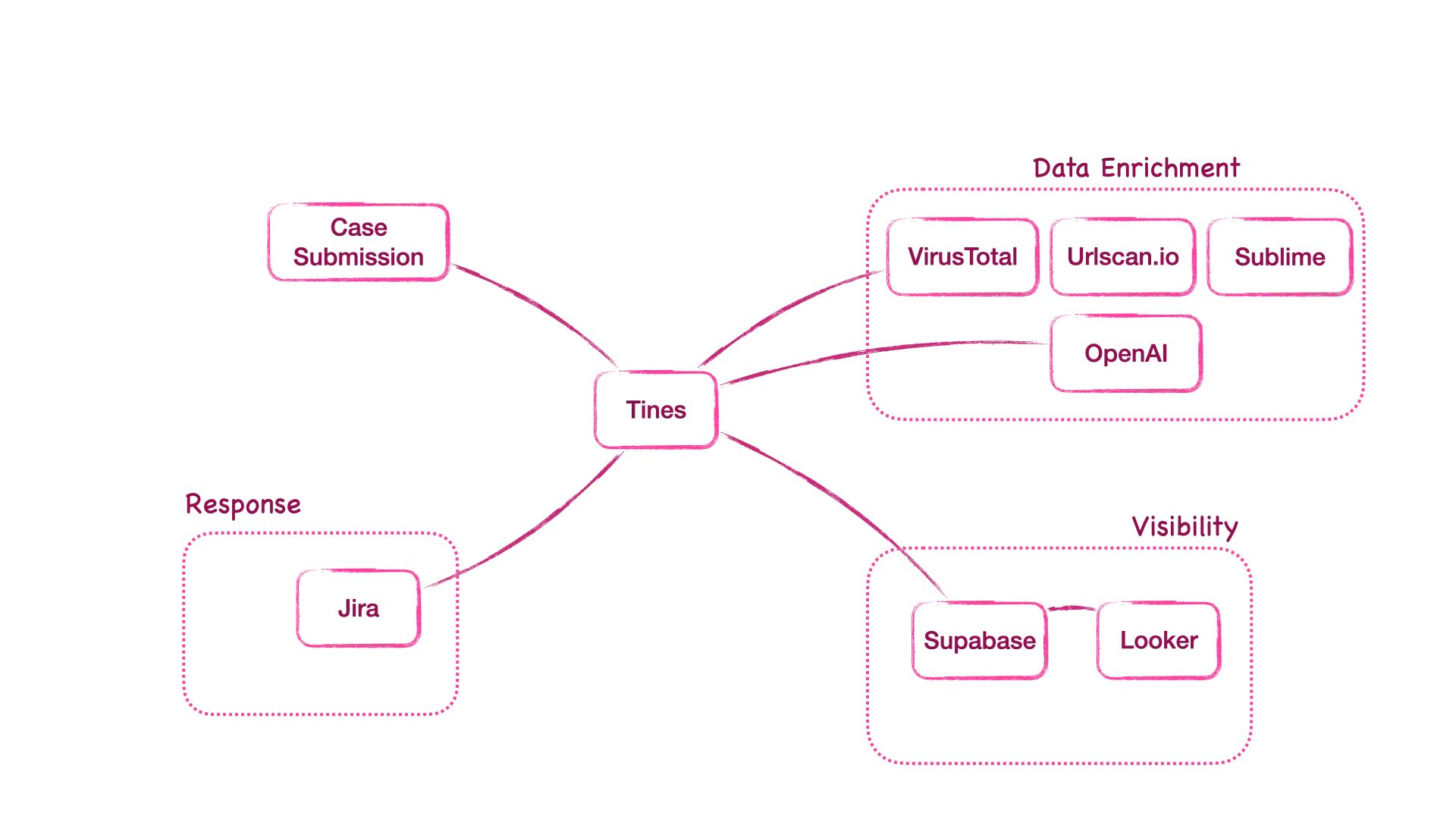
This document is the structural draft outline for a detailed case study that explores the challenges, learnings, setup, and design of an integration across Tines, Supabase, Jira, OpenAI, Looker, VirusTotal, URLScan.io, and Sublime Security.
This post will be expanded later with full content for each section.
1. What was (the overall) architecture?
What does the architecture in look like in general. I mean in a vendor agnostic way?
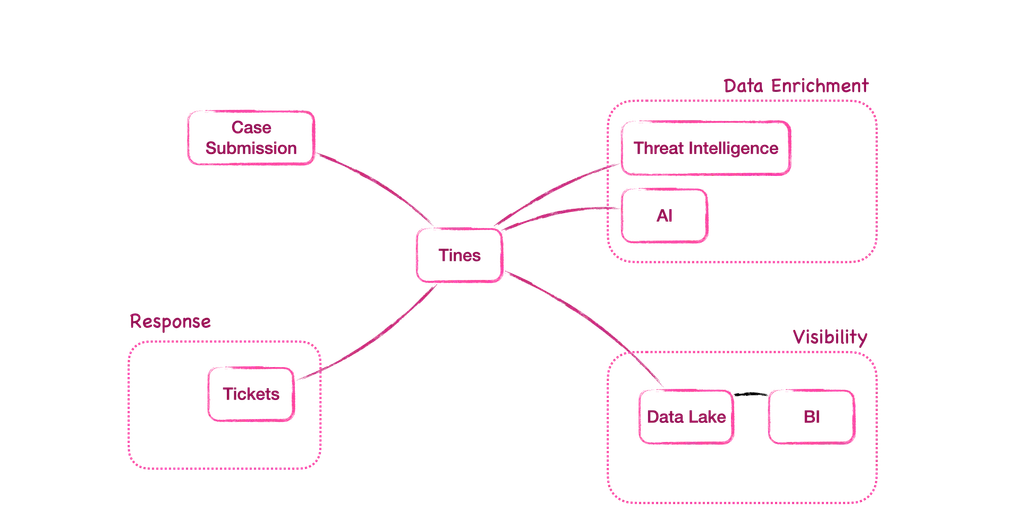
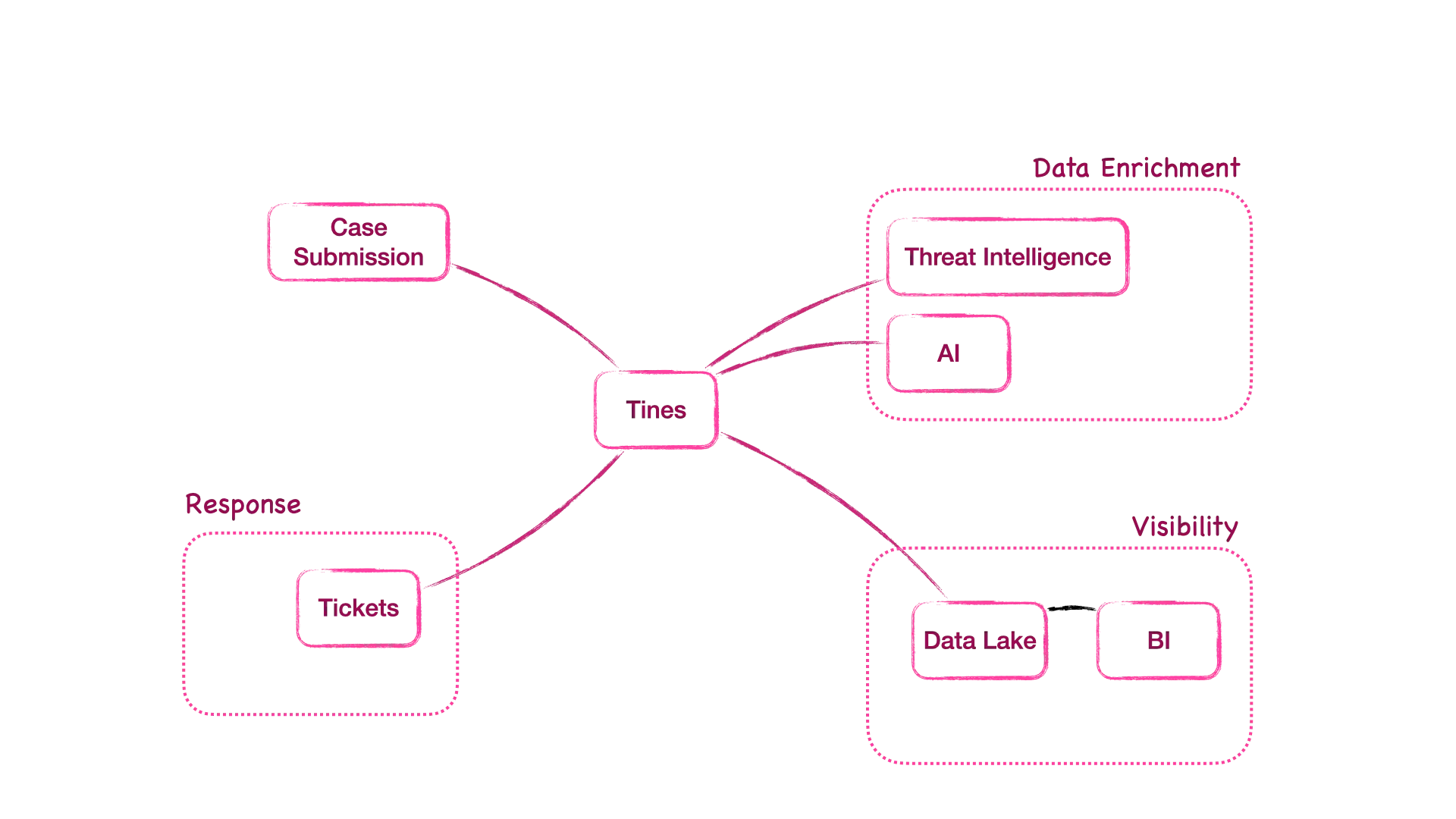
Suspicious Emails can be forwarded by employees via email to a dedicated Triage-Inbox that the security team monitors. This triggers the flow in Tines as our chosen Integration Framework.
To figure out if Emails are malicious or benign we need some Threat Intelligence Tools and maybe AI to get some human-readable sense out of it.
If the email turns out to be a bad one we create a ticket for our Security Team to check on it.
In any case be it a benign or suspicious/malicious email we want to store all the information we got from the Threat Intelligence system in a Data Lake or simple Database.
Last but not least, to get the insights we most often want to check we need a BI tool to create beautiful charts and reports that show us metrics like the Mean-Time-To-Resolution (MTTR) or Verdict overviews.
Also a table with all cases and direct links back to the ticket system for a closed-loop system
In out specific case study we will do all this with the following point solutions and integrate them via their respective APIs in Tines.
— TODO —
2. How Were Tines, Supabase, Jira, OpenAI, and Looker setup in terms of APIs?
__ Suggested outline for each tool: authentication, request structure, and data flow.
- Tines API configuration
- Supabase API definition
- Jira OAuth2 / Rest API endpoints
- OpenAI APP calls
- Looker dashboard connection
3. How Was the Supabase table definition created? Why?
__ Placeholder for table schema and data model structure. Include columns used and the ranonale why they were selected.
4. Where are API keys and credentials stored in Tines?
__ Describe the secure storage and retrieval mechanism in Tines for credentials and API keys.
5. Using the Tines Story Library “Email Phishing Analysis”
__ Verify the official title and later add the link to the Tinus Story Library entry. Explain why this was used in the case and how it was adapted or customized.
6. How’re BIRA Tickets created and updated?
__ Describe the automated ticket creation, field mapping, and update process in Tines.
7. Why and how did I come up with 2 event transform actions to simulate emails?
__ Structure this section around the motivation, the problem solved, learnings, and what this helped reveal.
8. Why and how did I Integrate ChatGPT in the flow though there is native AI in Tines?
__ Detail the reasoning, the JSON response structure, the context used in the Invoke action, and how authentication and headers were set up.
9. Design and Implementation of the CISO Dashboard in Looker
__ Include the design process, data feds, metrics, and visual layout of the Looker dashboard.
10. Fixing the “Send to Tines Story” issues with EML files (RC822)
__ Add instructions on how to configure the email settings to include the RC822 format to ensure proper file handling.